What the hotel provides. One new network, and it is for the devices. The guest network and the staff network already exist; the kits' phones live on the staff one.
What that device network must be. 2.4 GHz, channels 1–11, a visible network name, WPA2 with a password of 8 characters or more, no sign-in page and no 802.1X enterprise check.
Not every watch has Wi-Fi. The Forerunner 165 Music has it, the plain Forerunner 165 does not. The hotel buys the Music version.
The second path needs no Wi-Fi at all. The kit carries an Android phone of the hotel's beside the watch and the scales: it lies in the guest's room, takes the watch over Bluetooth and hands it to the cloud itself. As of 23.08.2026 this is how the hotel moves its data.
Wi-Fi does not replace the phone. Our watch face and our walk app reach the portal through the kit's phone only: the watch's Wi-Fi carries data to the Garmin cloud, not to us.
Who this is for. The hotel's engineering staff and the portal's super-admin. Updated 23.08.2026.
What has to travel, and where to
The network is not needed by «the watch» in general but by four different streams. They travel different roads and break for different reasons.
What travels
By which road
Where it lands
The night and the day off the watch — sleep, pulse, HRV, stress, Body Battery, respiration, blood oxygen, steps
the watch's own Wi-Fi or the kit's phone over Bluetooth
the Garmin cloud; the portal collects from there every half hour
A weighing — weight, fat, muscle, water, bone
the scales' own Wi-Fi: no phone needed for the upload
the same cloud, the same half-hourly round
A walk and the functional tests — track, pulse, elevation, test results
our app on the watch, through the kit's phone
straight into the portal, bypassing the Garmin cloud
The day's carousel on the watch face — servings, procedures, the pulse corridor
the face's background service, through the kit's phone
from the portal to the watch, asked for every half hour
The bottom two rows are ours, and Wi-Fi does not help them: a Connect IQ app sends its web request through the phone, not through the watch's network module. Which is why the phone stays in the room even where the Wi-Fi is set up perfectly.
The networks the hotel prepares
Four networks are involved, but only one is new. Keep them apart by name rather than by password: handing the devices the guest network is the single most common cause of «everything is configured and nothing arrives».
Network
For whom
What it must have
The device network — the one you build
Forerunner 165 Music watches, Index S2 scales
2.4 GHz under its own name, WPA2-PSK, a password of 8 characters or more, a visible name, no sign-in page
The staff network
the kits' Android phones, the desk, the doctor
any band, WPA2; no sign-in page — a phone that waits for a tap in a browser after a reboot stops being a bridge silently
The guest network
the guest's own phone with the portal open
the hotel's ordinary guest network; a sign-in page is fine here — the guest has a browser and fingers
The room network
the television, a tablet, everything else
no use to the devices and not needed: the scales and the watch live on the device network, not the room one
Where the signal has to reach. The rooms: the scales stand there, the kit's phone lies there, and the watch spends the night there. The spa, the pool and the trails need no network — the watch stores its measurements and hands them over on return.
One name across 2.4 and 5 GHz is a bad idea. An access point with a shared name steers the client to 5 GHz, and the watch and the scales will not go there; they end up with no network at all. Give the device network its own name and leave only the 2.4 GHz band on it.
Client isolation does not get in the way. The watch and the scales talk to the cloud alone; they have nothing to say to each other or to the room. Outbound plain HTTPS is all they need — no inbound port forwarding, no VPN.
The password is typed on the watch. Five buttons and a wheel of letters: a 30-character password with curly braces will take the desk ten minutes and three mistakes. A sane length is 12–16 characters, Latin letters and digits.
An address filter — only with the devices entered. The hardware address of the watch and the scales shows in the access point's client list. With the filter on and the device missing from it, the device simply will not connect.
The requirements Garmin does not bend
These are not recommendations but the operating conditions of the Wi-Fi module. Garmin publishes them itself: as a list for the Index scales, as the manual and a support article for the watch (see «Sources»). A broken condition produces silence, not an error.
Condition
Why it is so
How a hotel breaks it
2.4 GHz only
the devices carry an 802.11 b/g/n module with no 5 GHz
a modern access point serves 5 GHz and hides 2.4 GHz behind a shared name, or switches it off
Channels 1–11
the device is built for that channel plan
a European router on automatic settles on 12 or 13 — and the network vanishes from the list on the watch
A visible network name
the device does not look for hidden networks
security hides the network name «for good order»
WPA or WPA2, password from 8 characters
the module knows no other modes
the access point is set to WPA3; the mixed WPA2 with WPA3 mode fails where protected management frames are required
No 802.1X
the device cannot pass a login-based enterprise check
the network is built on domain authentication, the way it is for laptops
No sign-in page
the watch and the scales have no browser, and there is nobody to press «I agree»
the devices were handed the guest network with its welcome window
The last one is the sneakiest. The watch honestly shows the network as connected, the icon is lit, the signal is there — and nothing leaves: the data never reaches the cloud, the sign-in page turns it back.
Wi-Fi is on the Music version only
Two different devices are sold under the one name Forerunner 165. The difference in the name is a single word; the difference in how data travels is fundamental.
Model
Wi-Fi
How it hands data over
Forerunner 165
none
through a phone over Bluetooth only
Forerunner 165 Music
yes
over Wi-Fi by itself; next to a phone — over Bluetooth as usual
Garmin lists what the watch carries over Wi-Fi on its own: recorded activities, software updates, workouts and training plans, music. About all-day monitoring — sleep, pulse, HRV — that list says nothing, so the hotel checks it itself: one night with the watch on the wrist and the phone carried off to the desk.
As of 23.08.2026 that night has not happened yet, so the phone goes to the room. The hotel buys the Music version regardless: without Wi-Fi the watch cannot be updated and cannot be given an app from the Connect IQ store without a phone held next to it.
Putting the watch on the network
The order for a Forerunner 165 Music. Done once per kit, while preparing it, not at every handover.
The account first, the network second. The watch must have been paired once to the kit's account — through Garmin Connect on the kit's phone or through Garmin Express over USB from the desk's computer. That is Garmin's own condition: before the pairing, the Wi-Fi menu on the watch finds nothing.
On the watch: hold UP → Connectivity → Wi-Fi → My Networks → Search for Networks. The watch lists the 2.4 GHz networks around it.
Pick the device network and enter the password. The Forerunner 165 screen is a touch screen: letters scroll under a finger, and the buttons do the same. The network stays in «My Networks» and reconnects by itself whenever the watch is in range.
Add a second network for a large building. The watch keeps a list of networks rather than one: the spa wing's network beside the rooms' network is a legal setup.
Check it. Record any activity for a minute and carry the phone away. An activity that reaches the kit's account is the proof that Wi-Fi works.
The network on the watch does not belong to the guest and is not wiped at the handover: it lives on the kit, the way the six digits of the pairing code do (what else stays on the watch for good).
The Index S2 scales: no network, no numbers
The scales are the kit's third device, and they need Wi-Fi harder than the watch does: there may be no phone near them at all, and the guest steps on them before breakfast and walks away.
The network is entered in the Garmin Connect wizard on the kit's phone — the same one that binds the scales to the account. Networks are not typed on the scales themselves: the display is not built for it.
The same requirements: 2.4 GHz, channels 1–11, a visible name, WPA2 with a password from 8 characters, no sign-in page. A guest network with a welcome window the scales will not pass.
Changing the network password breaks the scales silently. The number simply stops arriving, and the guest never learns of it. Change the device network's password together with a round of all the scales, not «sometime later».
Stand them on a hard floor. On a carpet the scales lie — not a network matter, but checked on the same round.
The second path: the kit's phone as the bridge
This path is not the fallback but the main one: as of 23.08.2026 the hotel moves its data exactly this way. It also works with the plain Forerunner 165, which has no Wi-Fi at all.
A kit is three devices under one Garmin account that belongs to the hotel: the watch, an Android phone and the Index S2 scales. The phone travels to the room with the watch, lies on its charger and carries the measurements to the cloud.
The guest gets the phone locked. The PIN stays with the hotel: syncing runs from a locked screen, and the guest has no reason to unlock it.
The distance is room-sized. Bluetooth holds about 10 metres, and walls cut that down. The phone must lie in the same room, not at the desk.
Nothing is lost. While no phone is near, the watch keeps its measurements and hands them all over at once when one appears.
The phone is needed in its own right. It guides the guest along the route by voice with no network at all, and it is the only road our apps have into the portal (how it is prepared).
The phone reaches the internet over the staff network — not the device one: it needs an ordinary band and ordinary speed, and Garmin's requirements do not apply to it.
No phone nearby: the walk is not lost, it waits in the queue×The phone came back — the walk reached the portal×
What Wi-Fi does not do
The most expensive misconception while preparing the network is «we will set up Wi-Fi and keep the phones at the desk». The watch's Wi-Fi carries data to the Garmin cloud; the portal picks it up from there on its half-hourly round. Everything of ours travels another road.
The watch face asks the portal about the guest's day every half hour — through the phone. Without it the carousel of servings and the pulse corridor on the glass will not refresh.
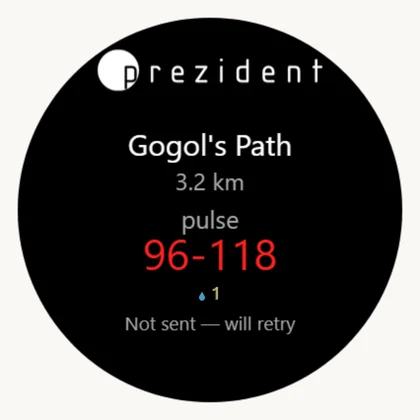
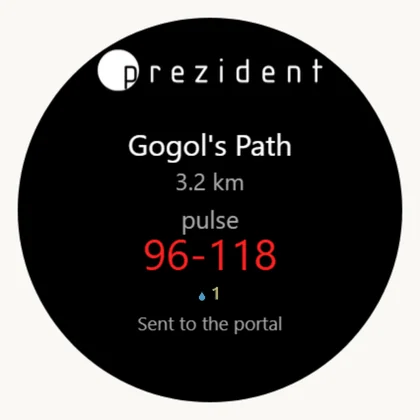
A walk and the functional tests go to the portal through the phone. Not delivered — a queue and a retry every 5 minutes until a phone is near.
The pairing code is confirmed by the same road. While the card in the admin panel reads «the watch has not answered», the trouble is in the code or in the phone, not in the Wi-Fi.
Updates to our apps from the Connect IQ store do arrive over the watch's Wi-Fi — that part Wi-Fi does by itself, with no phone.
Checking the network is ready
The sign-in page. Put an ordinary phone with mobile data switched off on the device network and open any site. It opened at once — there is no sign-in page. A hotel window appeared — the devices will not work on that network.
Band and channel. The network has to be visible in the list on the watch itself. It is not — then it is 5 GHz, a hidden name or channel 12–13.
A night without the phone. The watch on the wrist, the phone carried off to the desk. In the morning the kit's account holds the night that passed — Wi-Fi does carry the readings. No night — the phone goes back to the room.
The scales. Step on them barefoot and wait. The number appears on the «Weight» page within half an hour — that is the whole circle: scales, network, cloud, portal.
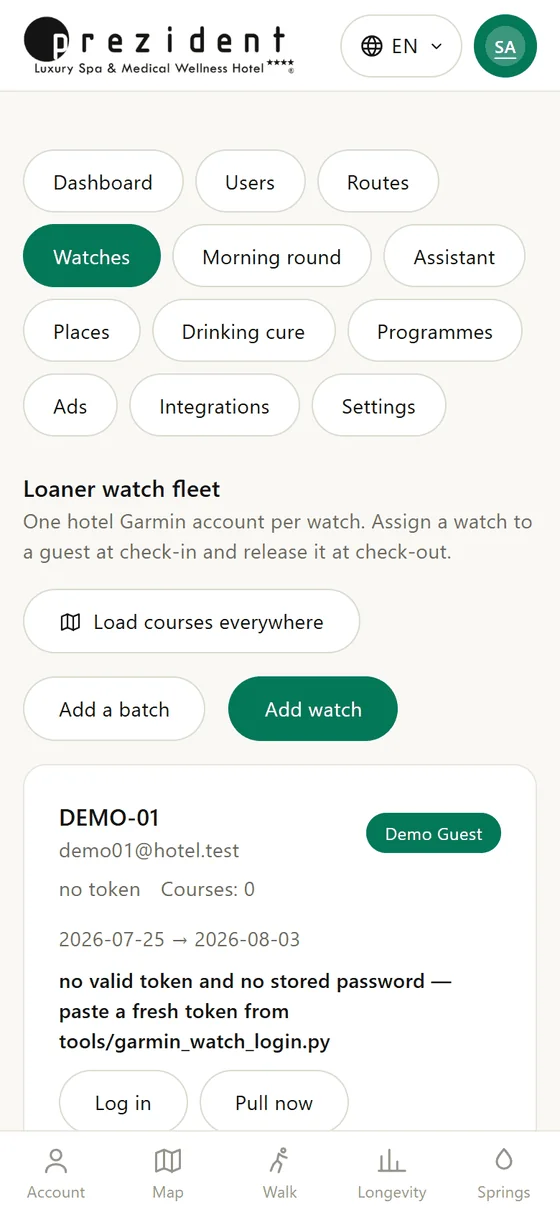
The kit's card. Admin panel, the Watches section: every kit shows whether the watch has answered and when the last night arrived.
The Watches section: the state of every kit shows on its own card×
When it will not connect
What you see
Why
What to do
The network is missing from the list on the watch
the access point serves 5 GHz only, the name is hidden, or channel 12–13 is in use
switch 2.4 GHz on under its own name, unhide the name, pin the channel within 1–11
The password is not accepted
the network is on WPA3 or on an 802.1X enterprise check; the password is shorter than 8 characters
move the device network to WPA2-PSK with a password from 8 characters
The watch connected, the cloud is empty
the network has a sign-in page
take it off the device network; the guest network will not do for them
It worked and stopped
the password changed, the access point moved to another channel, or the network asks for consent again once a day
test the network with a phone the same way, then walk round the devices
«The watch is online», but no night arrived
what is silent is not the portal but the chain watch, phone, cloud: the phone is flat, carried off, or its Garmin Connect has not run a sync
put the phone back in the room and on its charger
Nothing arrives from a new kit
the watch is not paired to the kit's account — before the pairing Wi-Fi does not switch on
pair it through Garmin Connect or Garmin Express, then enter the network
Questions and answers
Is Wi-Fi needed if the kit's phone lies in the room? For the watch — no: it will hand everything to the phone over Bluetooth, and as of 23.08.2026 that is how the hotel works. For the scales — yes: their regular road to the cloud is Wi-Fi.
Will the hotel's guest network do? Not if it has a welcome page with an «I agree» button: the watch and the scales have no browser and nobody to press it. The device connects and the data stays put.
How does the Forerunner 165 Music differ from the plain one? By having Wi-Fi and memory for music. For the hotel the first matters: without Wi-Fi the watch hands data over through a phone only.
Can a guest's own watch join the device network? There is no point: a guest connects their own device through its own maker, and the portal reads that cloud (how it works). The device network stays with the hotel.
How many networks should we build? One new one, for the devices. The guest and staff networks already exist, and the kits' phones live on the staff one.
Forerunner 165: what Wi-Fi does — the list of what the watch carries over Wi-Fi, and the line «Wi-Fi is available only on the Forerunner music watch».
Wi-Fi requirements for the Index scales — Garmin support: 2.4 GHz, 802.11 b/g/n with no 802.1X, channels 1–11, no hidden name, WPA or WPA2, a password from 8 characters.