A hotel watch carries two Connect IQ apps. They are different things and are easily confused.
What it is
When it runs
The watch face, «Longevity Prezident»
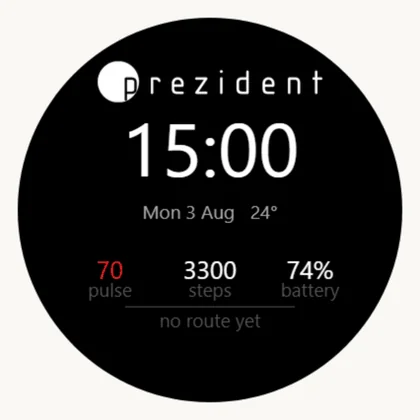
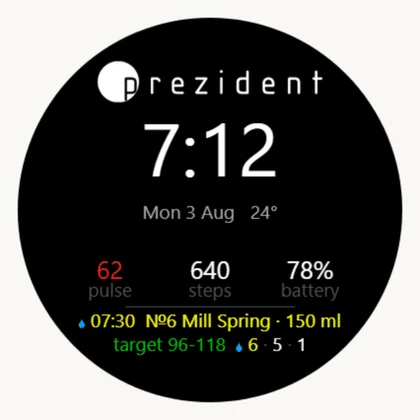
The main screen: the hotel's mark, the time, pulse, steps, battery, the day's events and the pulse corridor. Shows the guest's day without a press.
Always, while it is the chosen face
The app, «Longevity Prezident Walk»
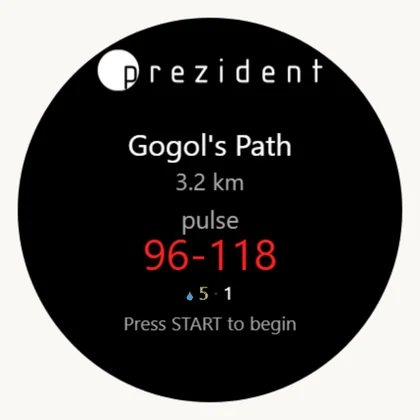
Records the walk, pages through the day, runs the functional tests, takes the pairing code.
While open; the send queue and reminders also work in the background
The glance
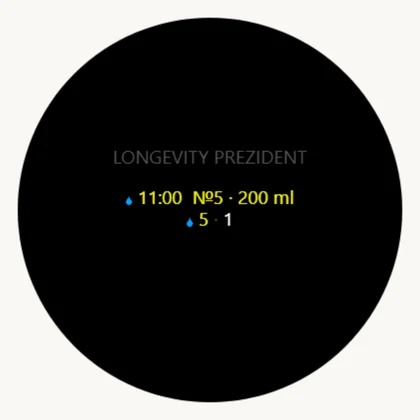
The «what now» strip in the glance loop. It is not a third app — the same walk app draws it.
One swipe down from the watch face
Why two files and not one: Garmin does not allow a watch face and an app in the same package. Which also means their memory and settings are separate — each keeps its own pairing code. The separate widget is gone: everything it showed, these two show.
Starting from nothing
The order for a new kit. You need the kit's watch, the kit's phone with Garmin Connect, and the six-digit pairing code from the kit's card in the admin panel.
A skipped step 2 or 3 is the usual reason for «we installed it and nothing is on the watch».
Install both apps. On the kit's phone open the Connect IQ store and press Download on both cards: the app and the watch face. A watch without a phone takes the .prg file over USB — it is in the admin panel under «Watches».
Choose our watch face. On the watch: hold UP → Appearance → Watch Face → Longevity Prezident.
Add the glance. On the watch: hold UP → Appearance → Glances → Add → Longevity Prezident. Connect IQ glances do not join the loop by themselves. Move it up the list so it is one swipe from the face.
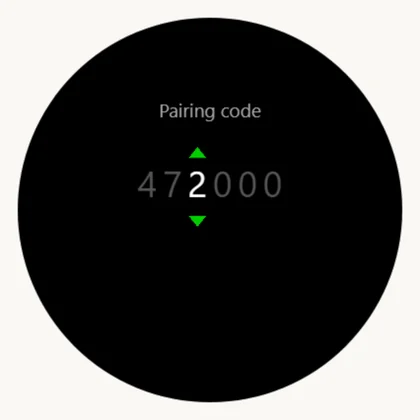
Enter the pairing code, by any of three equal routes: in Garmin Connect (device → Connect IQ apps → the app → Settings → «Pairing code»); on the watch itself (open the app, START on an empty code → six wheels; the screen is a touchscreen — swipe up or down to change the digit, double-tap to move to the next one; the buttons do the same: UP/DOWN turn, START moves on, BACK steps left); or not at all, if this watch has been paired before — the app asks the portal «whose watch are we» by itself.
Open the app once.START → find «Longevity Prezident Walk» in the activity list.
Switch the night sleep screen off. On the watch: hold UP → Settings → System → Sleep Mode → «Watch Face» — «Off». Otherwise, inside the sleep window, the watch swaps our face for hollow digits — in the evening that reads as a breakdown. Why, with screens: Setting up the kit.
Check. The kit's card in the panel lights up «watch in touch». While it says «watch has not answered», the code is missing or belongs to somebody else.
What it looks like on the way
Until the code is in, both apps say so plainly — neither pretends to be working.
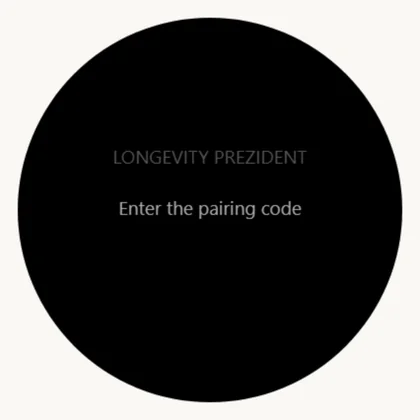
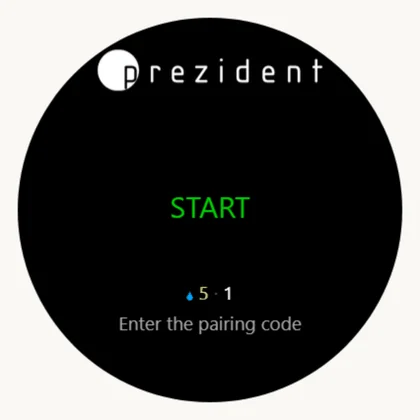
The glance with no code×The app: START opens the entry×Six wheels: UP/DOWN turn one, START moves on×The face right after the kit's code is entered: no route, and rightly so×
Right after the kit's code is entered the route disappears from the face. That is correct: the kit is free, its own account has taken no quiz. The route and the day come back when the kit is issued to a guest.
A guest's face: the next serving and the day's numbers without a press×One swipe down — the «what now» strip×A press on it opens the app×
The screen is a touchscreen
The Forerunner 165 takes touch: you can swipe, tap and scroll on the glass. The buttons never go away — both roads always work, and with wet hands or gloves a button is the safer one.
Where a finger is quickest:
Entering the pairing code. Swipe up or down and the digit under the caret changes; a double tap moves to the next digit. Six digits go in faster than by buttons, and it is worth showing a guest once.
The watch's own settings — the ones that are not ours: language, pulse-ox mode, the watch face, the glance loop. Garmin's menus scroll and select entirely by touch.
The day's pages and lists in our app — a swipe up or down does what UP and DOWN do.
One exception, and it is a matter of principle: the watch face itself takes no touch. Garmin gives a face no delegate and no touches — not to us and not to anybody. That is why its event line turns over by itself every three seconds and everything that is paged by hand lives in the app.
The buttons
Forerunner 165, five buttons, labelled in Latin whatever the watch language is.
Button
Where
On the face
In the app
LIGHT
top left
backlight
backlight
UP
middle left
glance loop up; hold — the watch menu
page back; hold — tests and the code
DOWN
bottom left
glance loop down
page forward
START / STOP
top right
the activity and app list
start and finish a walk; on an empty code — open the entry; in a test — start and stop
BACK
bottom right
—
leave; in the code entry — one digit left
Whatever a button does, a finger does too — everywhere except the watch face, which takes no input at all.
a watch with no phone: copied to GARMIN/APPS over USB
Both, as .iq
Admin panel → «Watches»
the hotel only: this is what the store accepts
Updates arrive from the store by themselves. One consequence matters: a Connect IQ update is a reinstall, and the app's memory — including the pairing code — is wiped. Nobody has to type it again: the app asks the portal by its device handle, which survives a reinstall, and gets the code back within half an hour.