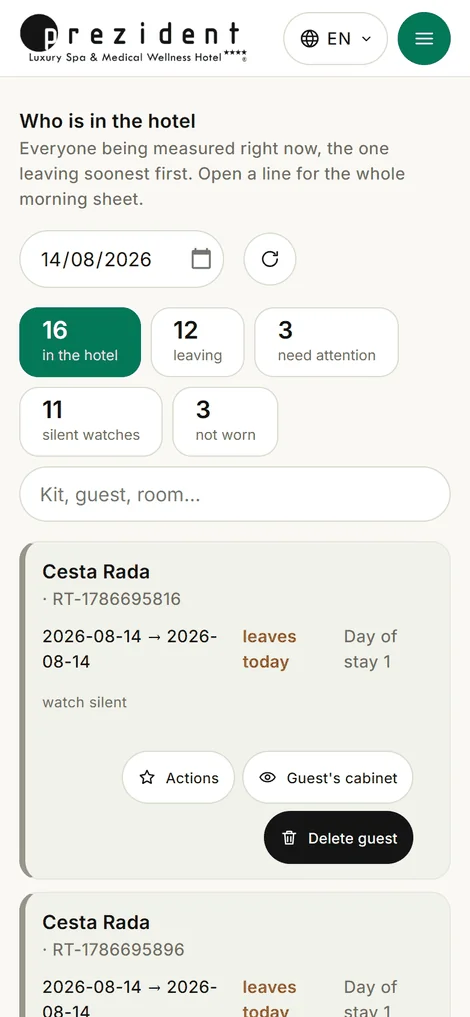
The first thing the staff see is not counters of users and activities but a list of people: a line for every guest currently wearing a kit. Whoever leaves soonest stands highest.
The counters have not gone anywhere; they are at the foot of the page and only the administrator sees them. The owner's reasoning is simple: in the morning a hotel needs a list of people, not a chart.
Above the list are the category chips: how many are in the house, how many are leaving, how many need attention, whose watches are silent, who appears not to be wearing one. And a search across the house: surname, room number, kit label, kit e-mail, year of birth.
«Who is in the hotel»: a line per guest, the chips and the search×
What is written in a line
At the top the name of whoever the kit was issued to, and under the name, the kit's own e-mail. At the desk people ask «which set is this?» — and the answer reads where the name is.
Then: the dates of arrival and departure, which day of the stay it is, the night's and the day's numbers, and a line saying «last contact with the watch». Contact older than the silence threshold is picked out in gold — the same threshold the «silent watches» chip counts by.
Pressing a line unfolds that guest's whole morning sheet — the same document the round prints (more).
«Sync now»: what it actually does
A phone and a watch cannot be poked from outside — Garmin gives no such command. So the button makes a probe: it asks the cloud whether anything fresher has appeared.
If the sync is fresher than ten minutes, the portal pulls everything at once. If not, a waiting mode starts: the line shows a gold «asked at 14:20 — waiting for the phone», and the portal re-asks the cloud every five minutes for two hours. The moment the phone delivers, the data arrives and the mark clears itself.
Hence the rule for talking to a guest: «asked» does not mean «any second now», it means «we are waiting for their phone» (why).
«The guest's account»
A button in the line opens the portal through the guest's eyes: the same screens, their numbers, their advice, their empty places. Half of all support questions end here.
For a doctor this is read-only. Not «the buttons are hidden» — the server refuses any write in such a session. The administrator was allowed to edit by the owner: that is hotel work — the pairing code, the map, the consents, the profile.
The price of that decision is stated out loud: anything an administrator writes in such a session goes out in the guest's name. The log remembers who entered and when, but not which button they pressed.
A bar hangs over every screen saying «You are viewing the account of …» with a way back — it is impossible to forget whose account you are in.
The actions drawer
To the right of an unfolded line a drawer opens — everything the staff do about this guest, in one place: tomorrow's recommendation, a message to the guest, a note for the staff, water (a draft cure and the daily target), the step goal, procedures with a date and a time, a route pushed to the watch.
The drawer's header carries the name, year of birth, age, room number and kit: the drawer writes prescriptions, and «to whom» matters here more than «what».
A note for the staff is invisible to the guest, and that is its point: a wish written to a guest changes their report, while «his daughter is collecting him on Friday» is not a wish but something the desk and the surgery both need before they plan Friday.
Reception sees the same page without the medicine
The desk needs the same list — who is in, who is leaving, whose watch is silent — but not the night's numbers and flags. The medicine is cut on the server, not hidden in the browser: those fields are simply absent from the desk's answer.
The desk is likewise given no morning sheet, no «guest's account» and no prescribing buttons.
The panel's sections and who sees them
On the left, a column of sections (on a phone, the same list under the burger). A section whose every room is shut to this role disappears with them.
Section
For whom
Dashboard
everyone: the round, and the first page
Reception
the desk and the administrator — issue and return (more)
Users
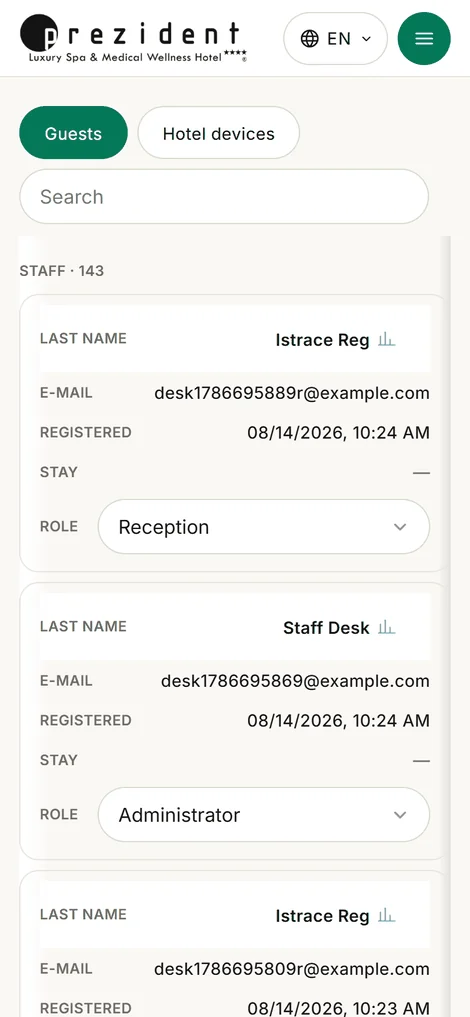
the doctor and the administrator: every sign-in, grouped by who is in the house now
the doctor and the administrator: the catalogue and the prices (the shop window)
Ads
the administrator
Settings
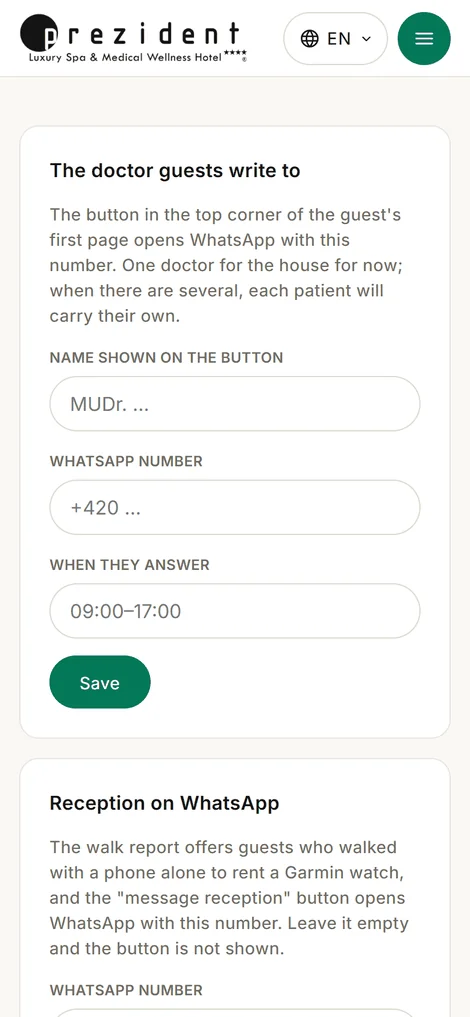
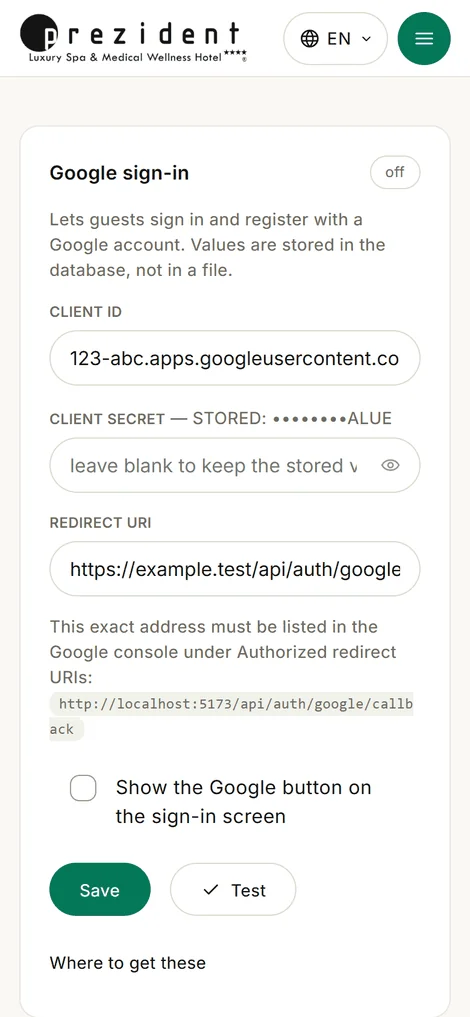
the administrator: time zone, the doctor's and the desk's contacts; inside — Integrations (Garmin, Google and mail keys), Assistant and Staff
«Users»: groups by who is in the house, the role as a dropdown׫Settings»: the doctor's and the desk's contacts, the hotel's time zone׫Integrations»: the keys live in the database, not in a file on the server×
Roles
There are three staff roles — administrator, doctor, reception — and only the super administrator hands them out. A staff account gets no personal health pages: it has no nights and no prescriptions, and the account addresses send it to the panel instead.
The keys to the house — the time zone, the integration keys, the rule thresholds and the list of staff — live under «Settings» and are open only to the role that can open everything behind them.