The desk works in two panel sections: Reception for issuing and taking back, Watches for the kits themselves. The portal does the rest.
Five to seven minutes per guest. Nothing is typed into the watch at issue: the pairing code belongs to the kit and lives on the strap for good — it was entered once at setup (how).
What a kit is
A kit is a watch, a phone and a scale, living together under one Garmin account that belongs to the hotel, not to the guest. The phone stays on charge in the room and carries the watch's data to the cloud; it is locked — the PIN stays with the hotel.
A kit has its own card in the Watches section and its own six digits. Guests change, the code does not.
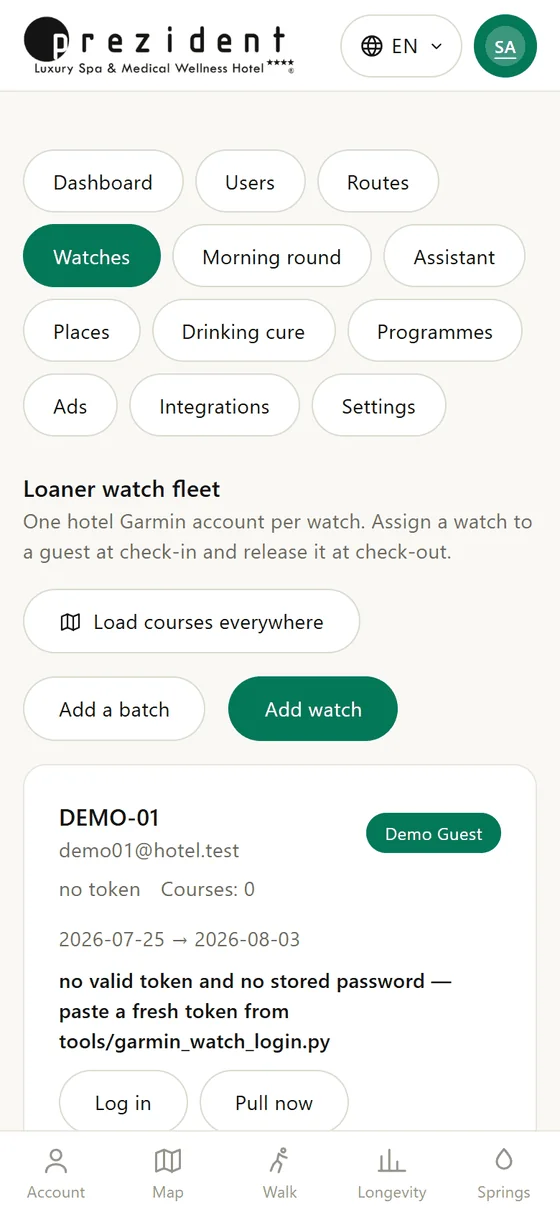
The Watches section: the fleet, each kit with its own state×
Arrival, in five steps
Consent to health data. No signature, no kit — the server refuses to collect states, and rightly so: sleep, pulse and variability are a special category of data.
Erasing is no longer a step of its own (since 13.08.2026). «Issue to guest» unlinks the previous guest by itself, deletes the kit's walks and weigh-ins from the cloud and writes a line in the journal — take any free kit from the shelf, erased or marked «Not erased», and the portal says in words what it erased. The guest's own history in the portal is untouched — the kit is erased, not the person.
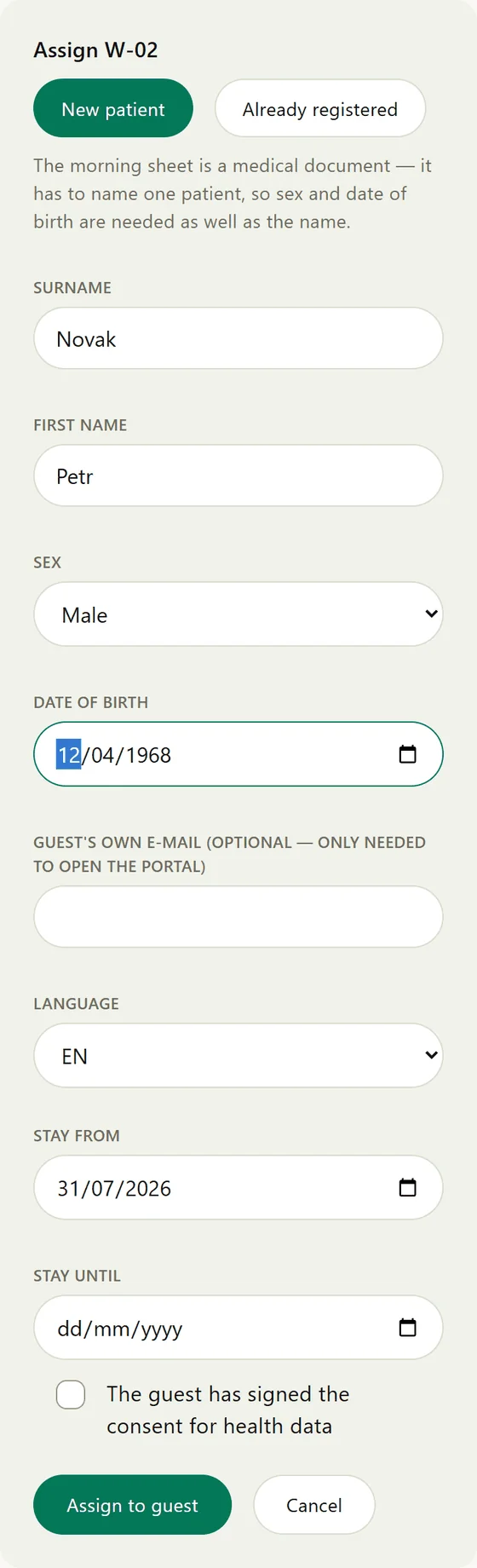
«Issue to guest» and the form. Sex and date of birth are required: norms, the watch's own calculations and the pulse corridor all hang on them. Height and weight feed the calorie count. The wrist matters for optical pulse accuracy. The language is the one both portal and watch will speak.
Sync the watch. The portal writes the guest's profile into the kit's Garmin account, but the watch takes it up on a sync, and Garmin recalculates nothing retroactively.
Hand over the kit. The watch on the wrist written in the form; the phone locked, it lives in the room.
The doctor. The health questionnaire gives the risk level, the pulse corridor and the route.
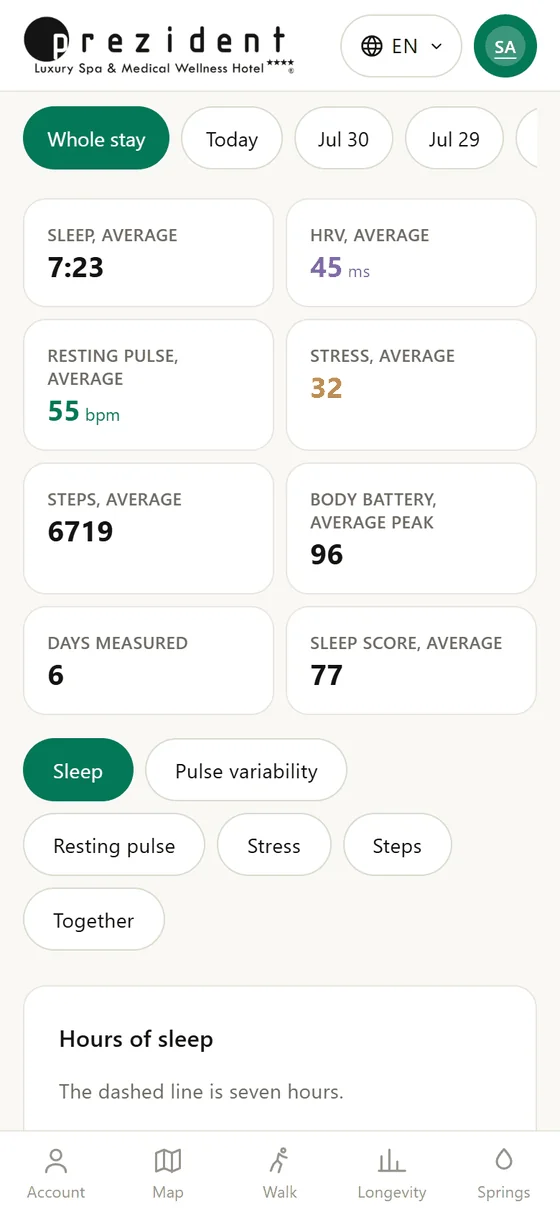
The issue form: a new patient or a returning one×The stay card after issuing×
The watch screen takes touch
Worth knowing at the desk and worth showing a guest: the Forerunner 165's glass takes a finger. All of the watch's own menus — language, pulse-ox mode, the watch face, the glance loop — scroll and select by touch, with the buttons working just the same.
For the pairing code specifically: swipe up or down and the digit changes, double-tap moves to the next one. Six digits go in noticeably faster than by buttons. The button road is the same: UP/DOWN turn, START moves on, BACK steps left.
The only thing that takes no touch is the watch face itself — Garmin gives faces no input at all. A guest complaining that «the screen does not press» is almost certainly tapping the face: what they want lives in the app, opened with START.
Two checks that save a day
Pulse oximeter. On the watch, *Settings → Sensors → Pulse Ox → Mode* must be «During sleep». A factory reset clears it, and without it a whole section stays empty and the doctor never sees the night's oxygen dips.
Language — only for Chinese, Japanese, Korean and Thai. Their glyphs live in separate firmware fonts, and a watch set to Czech cannot draw them at all. The portal notices and answers such a guest in English — better than empty boxes, worse than their own language. Set the guest's language in *Settings → System → Language*. The other 32 need nothing.
Changing a guest's language
The language belongs to the guest, not to the watch and not to the kit: it is written in the guest's card and travels from there to the portal and to the watch's screen. Kits move between guests; the language moves with the person.
What to change
Where
When it shows
The guest's language
the «Language» field on the issue form; later the guest's card (staff) or the guest's own cabinet
in the portal at once; in the watch app the next time it opens; on the watch face within half an hour, when it next fetches the day
The watch's own language
on the watch: Settings → System → Language
at once
No reinstall and no touching of the code — the watch takes its words from the portal's answer, not from its firmware. The guest sees the new language without pressing anything.
The watch's own language needs changing for four languages only — Chinese, Japanese, Korean and Thai (see the check above). To the other 32 it is invisible on our screens entirely: since 07.08.2026 even the date line comes from the portal, where it used to be the one holdout. It still governs Garmin's own menus and settings, which is where a guest lands after pressing the wrong button. The full picture is two languages on one screen.
The Garmin account does not carry the language. The portal writes only the guest's body into the kit's account — sex, birth year, height, weight, wrist. There is no language switch to look for in Garmin Connect.
How to tell the link works
The kit's card lights up «watch in touch». That is the proof: the watch reached the portal and got an answer.
While it says «watch has not answered», the code is missing or belongs to somebody else. The flag belongs to the code, not to the watch — see when something is off.
Departure
«Take back» on the kit's card. The stay closes; the guest's history stays in their own card.
«Erase all records» right away: the kit is unlinked, walks and weigh-ins are deleted from the cloud, and the card reads «ready to issue». A courtesy to the next shift rather than a duty — skip it and the next issue erases the kit itself.
Watch and phone on charge.
What not to do on return: do not reset the watch (a reset drops the account link and wipes the loaded courses) and do not delete or recreate the Garmin account.
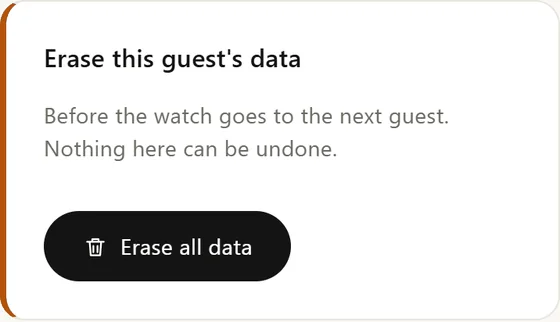
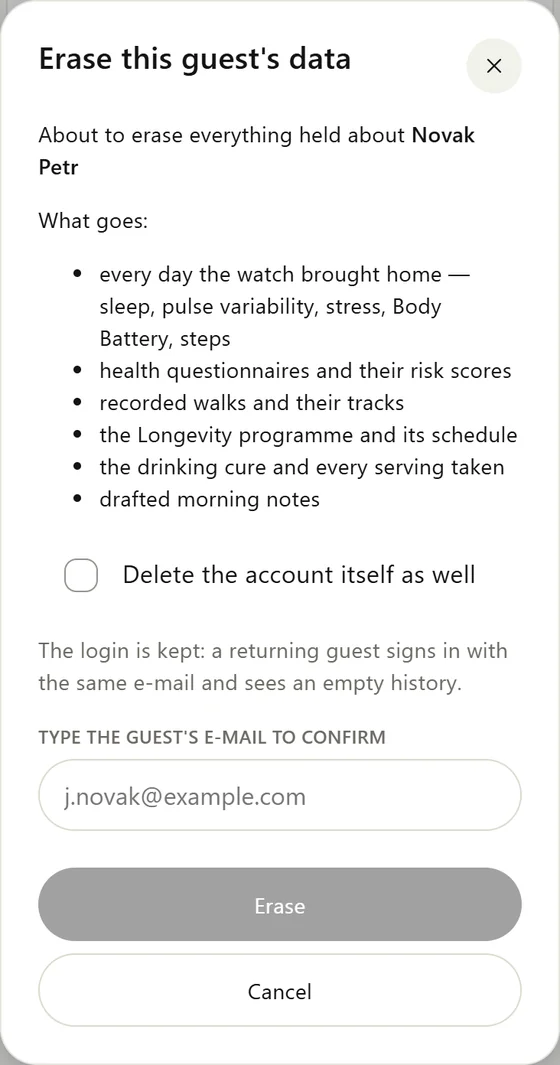
The erase button on a guest's card is visible to the super admin only×The dialog lists exactly what goes and asks for the guest's e-mail×
What stays where
Where
What happens
Our portal
The history stays in the guest's card until they erase it themselves.
Garmin cloud
Erasing — by hand or at issue — removes walks and weigh-ins. Garmin does not allow deleting sleep, step and pulse history: that is its property, not our omission, and those days never reach the next guest anyway — the portal only reads the window of their own stay.
The watch's memory
The last few days show in the widgets until newer ones push them out.