One press of «Finish» and the walk is saved, the route is marked as walked, and you are already looking at its card. What is on that card, where the link goes, and what to do when the pulse has not arrived yet.
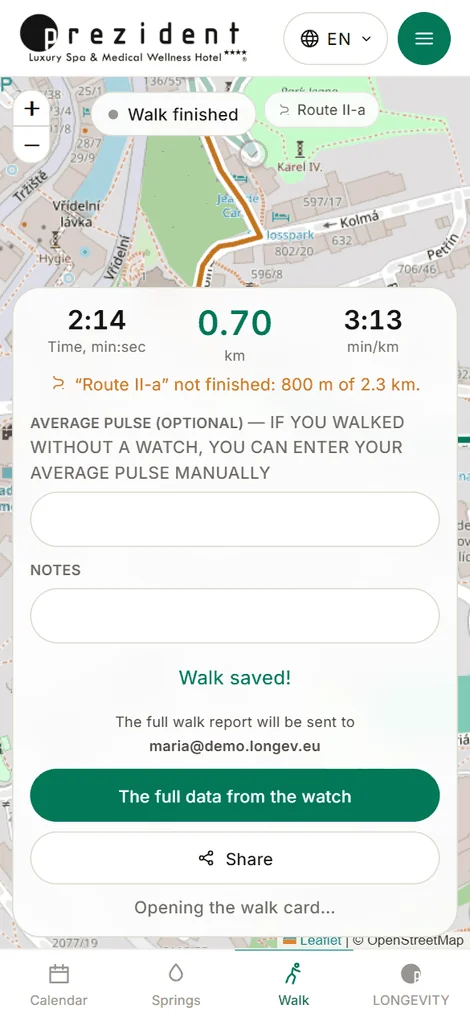
One button does all of it: stops the recording, saves the walk on the server and opens its card. There is no separate «save» any more — someone who has finished a trail presses one button and puts the phone in a pocket, and the walk must not fall between those two movements.
The «saved» sheet stays for a few seconds — long enough to add a note («went through Tržiště», «rain»); touch the field and the sheet waits until you press «Open the walk card».
The average pulse is only asked of someone who walked without our watch. With a kit on the wrist the pulse arrives measured, and a number typed from memory would only argue with it on the same card.
After «Finish»: the walk is already saved; next comes its card×
The walk card
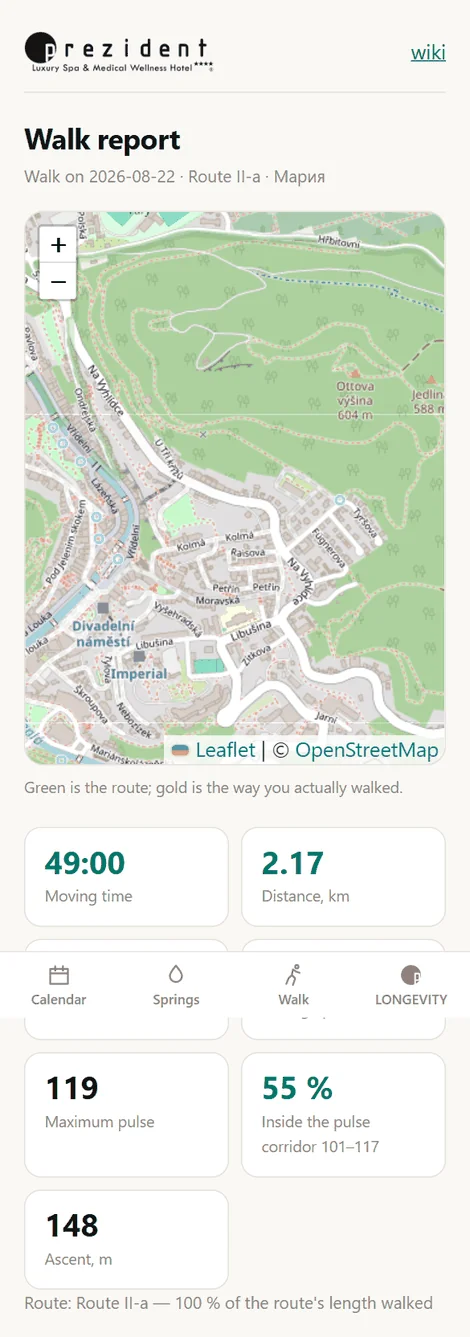
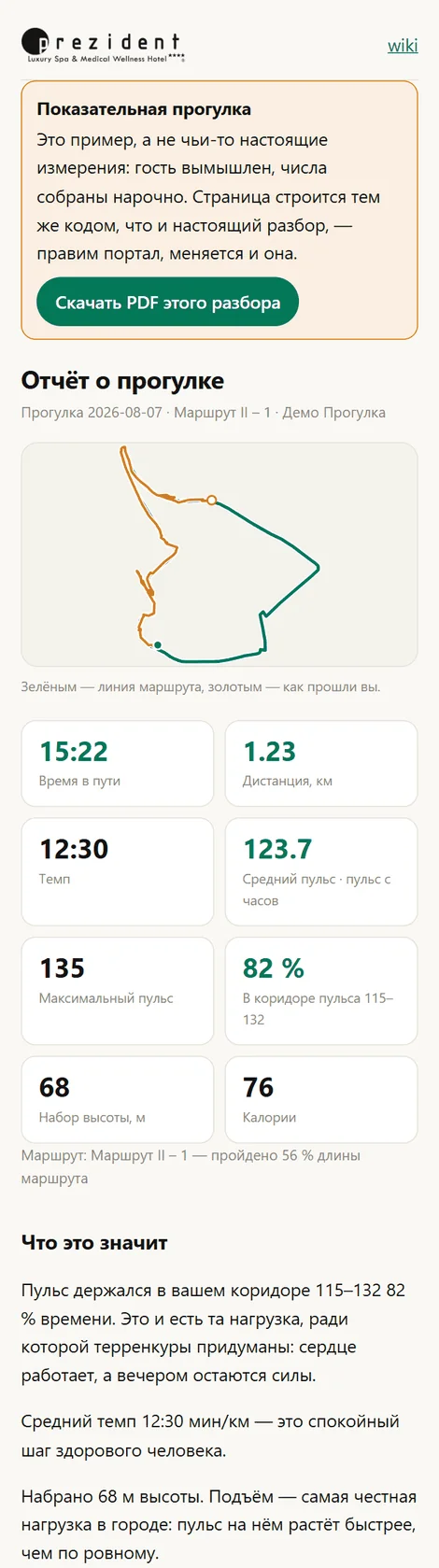
A page of its own, with its own address. On it: the drawing of your path (green for the route, gold for the way you actually walked), time, distance, pace, ascent, average and maximum pulse from the watch, and the share of the time spent inside your pulse corridor.
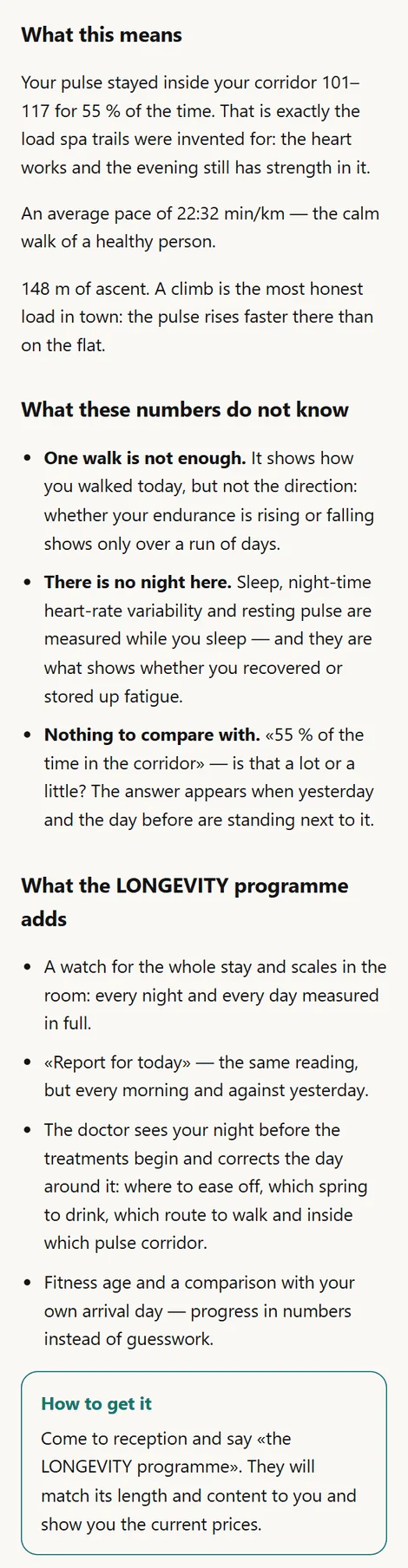
Under the numbers comes the reading in words: what that share means, what the pace was, what the climb added. Every sentence appears only when a measurement stands behind it; the portal invents nothing.
And at the end — what a single walk does not have: no night, no second day to compare with, no run of days to show the direction. It is said in your own numbers and ends with the only thing you can do about it: come to reception and ask about the LONGEVITY programme.
The top of the card: the drawing of the path and the walk's numbers×The rest of it: the reading in words and what the programme adds×
The full reading from the watch
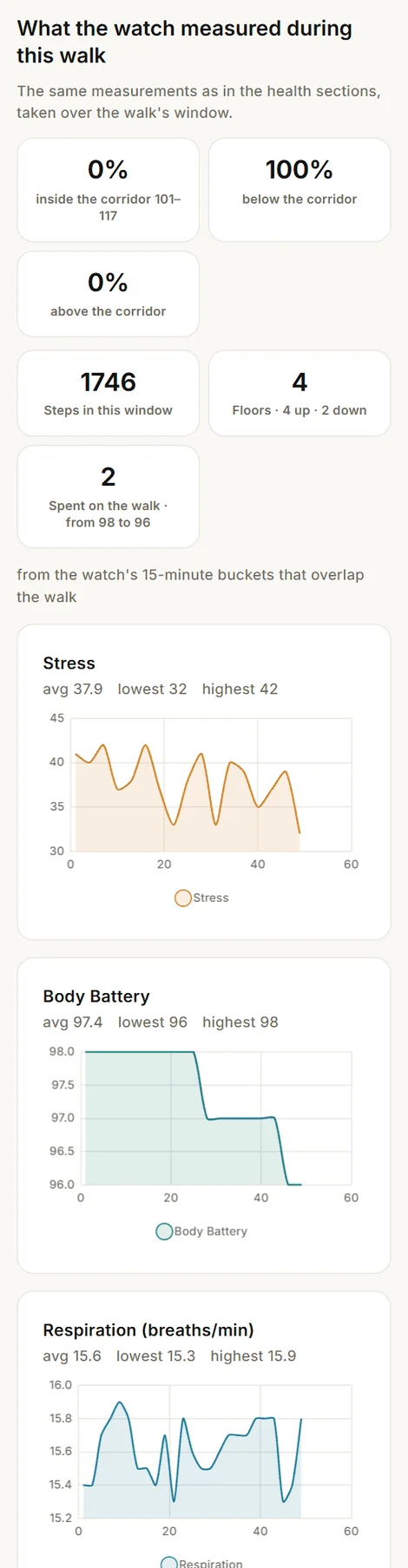
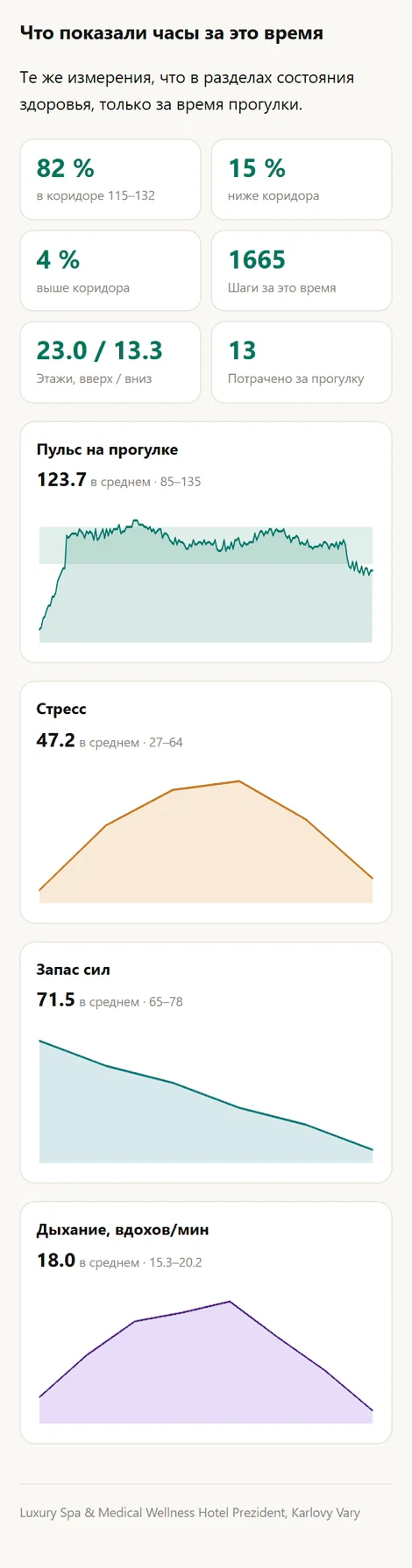
The card answers «how did I walk». Tap the walk in your list of walks and the same stretch of time opens, laid out across every measurement the watch made: the pulse with your corridor and the shares of time below, inside and above it, stress, Body Battery (how much of it the walk cost), respiration, blood oxygen, steps and floors over the same window.
This is not a second report and not separate numbers: it is the same documents the «Health» sections are made from, clipped to the walk's window. So the route's reading and the general LONGEVITY analysis cannot diverge — they are about the same measurements.
The watch hands the day over with a delay, so for the first half hour there may be no curves for the walk. The page then honestly says how far the day has arrived instead of drawing empty charts.
The walk's reading: time in the corridor, steps, Body Battery, curves×
A living example
The reading can be looked at without walking a route first: the demonstration walk is open to everyone, no sign-in. The guest is invented and the numbers were made up — but the page is built by the same code as a real reading, so it never goes stale: change the portal and the example changes with it.
The same page offers this reading as a PDF — the very sheet that goes out in the letter.
The demonstration reading: the guest's own card, with an «example» banner×And the same watch curves over the walk's window×
Where your walks live
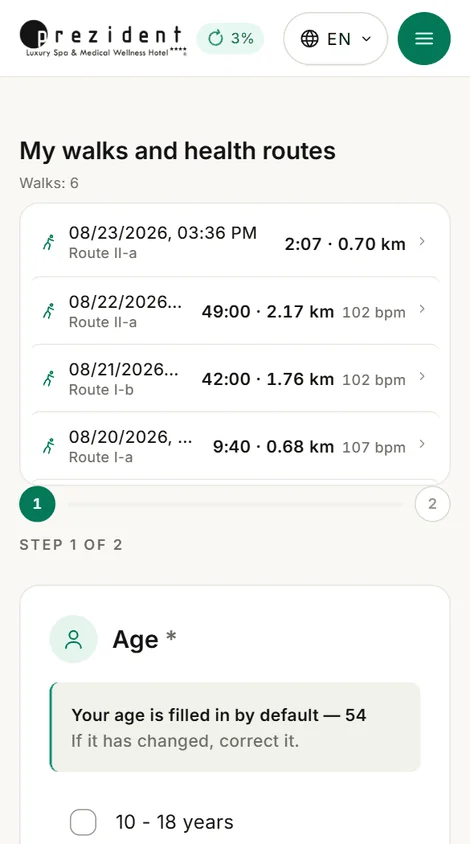
In «Health routes» — first, before choosing a new route: the list of walks and the routes share one place (owner's decision, 07.08.2026). The same list stands on the LONGEVITY front page.
A row leads to the walk's reading, and from there to the card you can send.
«My walks and health routes» above the new route's questionnaire×
The link can be sent
The card's address cannot be guessed and opens for anyone — no sign-in, no account, any device. So it can be shown to your family and sent to your own doctor; and a route visitor can simply be mailed it, since they never created anything here and remember no password.
The link is printed at the bottom of the card itself and repeated in the letter. Search engines are kept out, and when the card is no longer wanted its address can be revoked — the page then stops existing.
When the pulse is not there yet
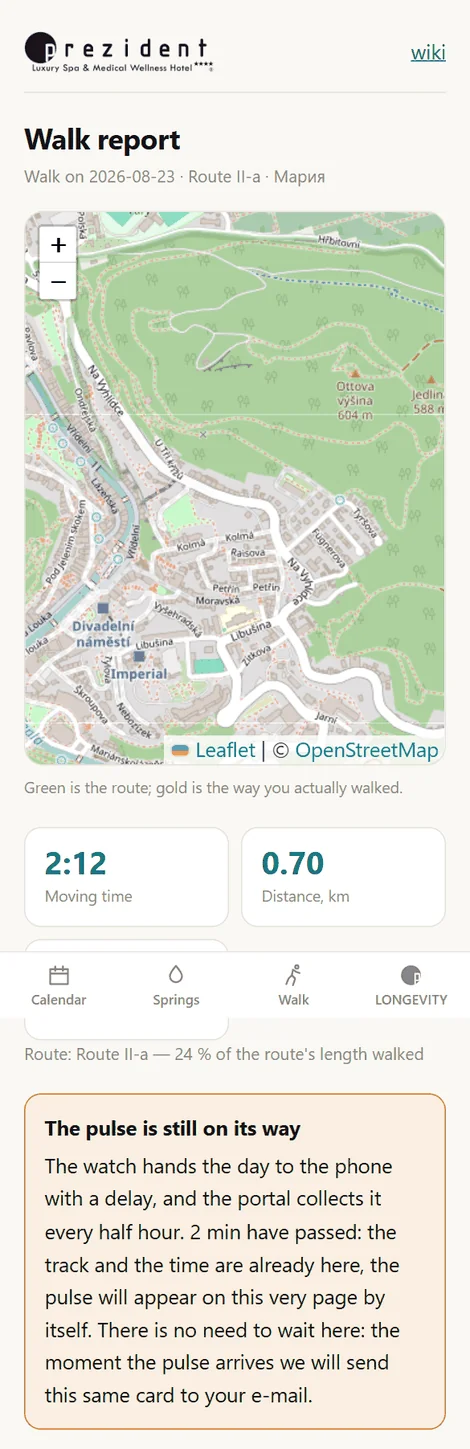
That is almost always the case in the first half hour: the watch hands the day to the phone with a delay, and the portal collects it every half hour. Meanwhile the card honestly shows the track, the time and the pace — and says the pulse is still on its way.
There is no need to wait on that page: the moment the pulse arrives, the portal sends this very card to the e-mail address given at the desk. If the pulse never arrives at all (you walked with your own phone and no watch), the letter still goes — a day later, with what there is.
«The pulse is still on its way» — and the promise to post the card×
What the desk sees
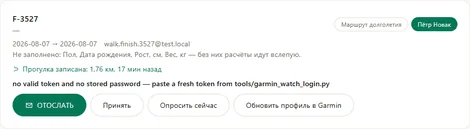
The kit's card at reception shows a line — «Walk recorded: 1.55 km, 12 min ago» — and a link to the card itself. Before that the desk had no way of knowing that the person was back from the trail, and had to ask.
The kit's card at the desk: the walk is recorded, with a link to it×
And the route
A walked route is marked as walked — in the list of routes and in the letter with the questionnaire's results. The mark comes from the walk itself rather than from pressing anything: the portal knows which route you were on and how much of its length you covered.