What is already in the schedule, how to ask for more, and why a request has no «approve» button. The second and third tabs of «Drinking cure & procedures».
The section at `#/care` is called «Drinking cure & procedures» and has four tabs: «Drinking cure» (the whole cure page, more), «Food diary» (the same page as in the Nutrition section, more), «Booked procedures» and «Add procedures».
The order is the owner's: the water is what a guest does six times a day, so it comes first.
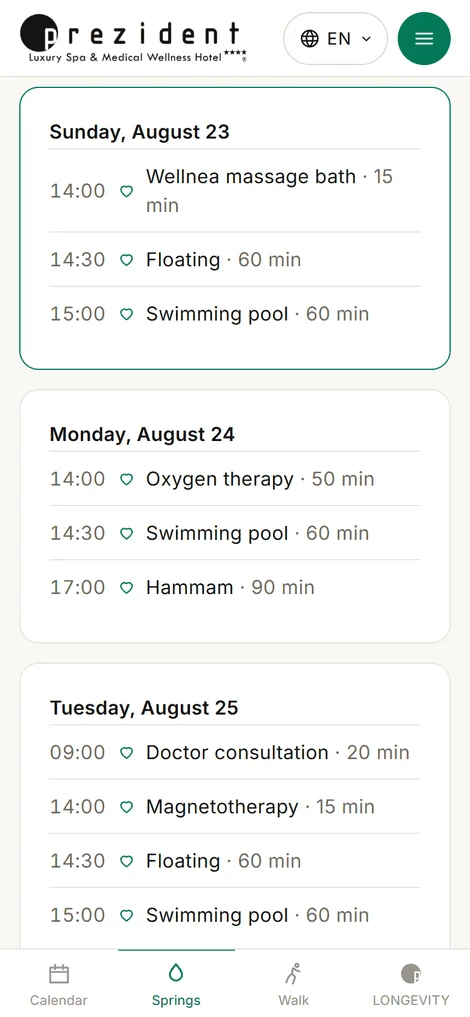
Booked: a card per day
Procedures are grouped by day, and each day is written with its weekday — «Friday, 14 August», not «14/08». Days already lived are grey.
The last group is «Waiting for the doctor» — what you asked for and the doctor has not given a time to yet.
A cancelled procedure stays visible, marked as such. A vanished line looks like a fault in the portal; a line saying «cancelled» looks like a decision you can ask about.
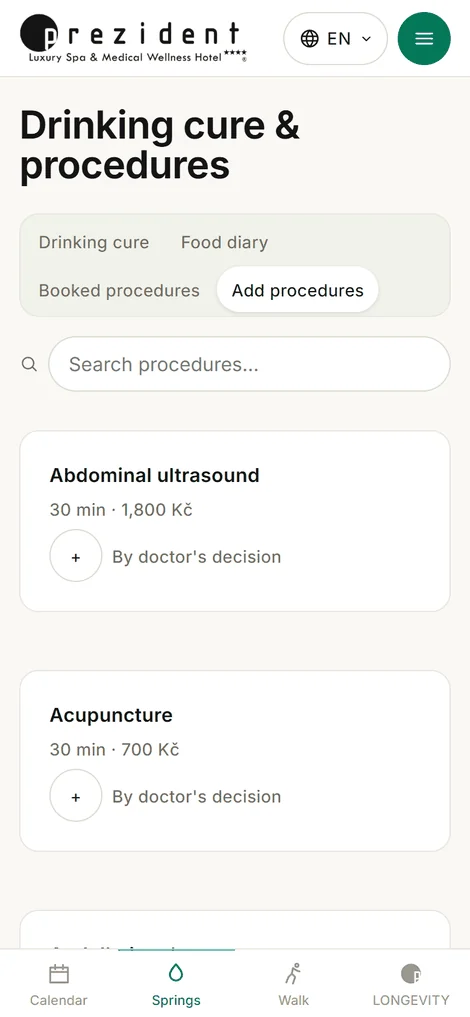
«Booked procedures»: a card per day and the «Waiting for the doctor» group׫Add procedures»: the catalogue with plus signs and one button at the foot×
How to ask
The «Add procedures» tab is the hotel's whole catalogue, with a search of its own. Every entry has a plus: press it and it is in the basket, press again for two sessions. One button floats above the bar at the foot — «Request (N)».
After sending, the portal says: «Your requests have been sent for the doctor's approval». Each session becomes its own line — the doctor gives each of them its own time.
Why the doctor has no «approve» button
Saving the date and the time is the approval. There is deliberately no separate «yes»: an approved procedure without a time is a promise that is not in the schedule, and the guest still has to come and ask when.
So a request has exactly two endings: it gets a date and a time — and travels at once into the calendar, the watch face and the reminders; or it is cancelled, and its line stays with a mark on it.
Only booked procedures reach the schedule. A request without a date is read by neither the calendar nor the watch — otherwise the wrist would be promising something nobody had confirmed.
What happens to it on the doctor's side
The doctor sees requests in the guest's card and on their own procedures board: book, move, cancel. From there they also change the day by the morning sheet — swapping a heavy procedure for a restorative one after a bad night, for instance.
You read about the dry CO₂ bath on the programme page, opened «Add procedures», found it by search, pressed the plus and «Request». In the evening a line appeared in the calendar: «tomorrow, 11:00». There is nothing else to do — the phone will remind you.
If the doctor decides otherwise, you will see it where you asked: the line stays, with a mark on it.
What reception does
Nothing: procedures are the doctor's ground. The desk only shows the guest where this lives, and can open «the guest's account» to look through their eyes.