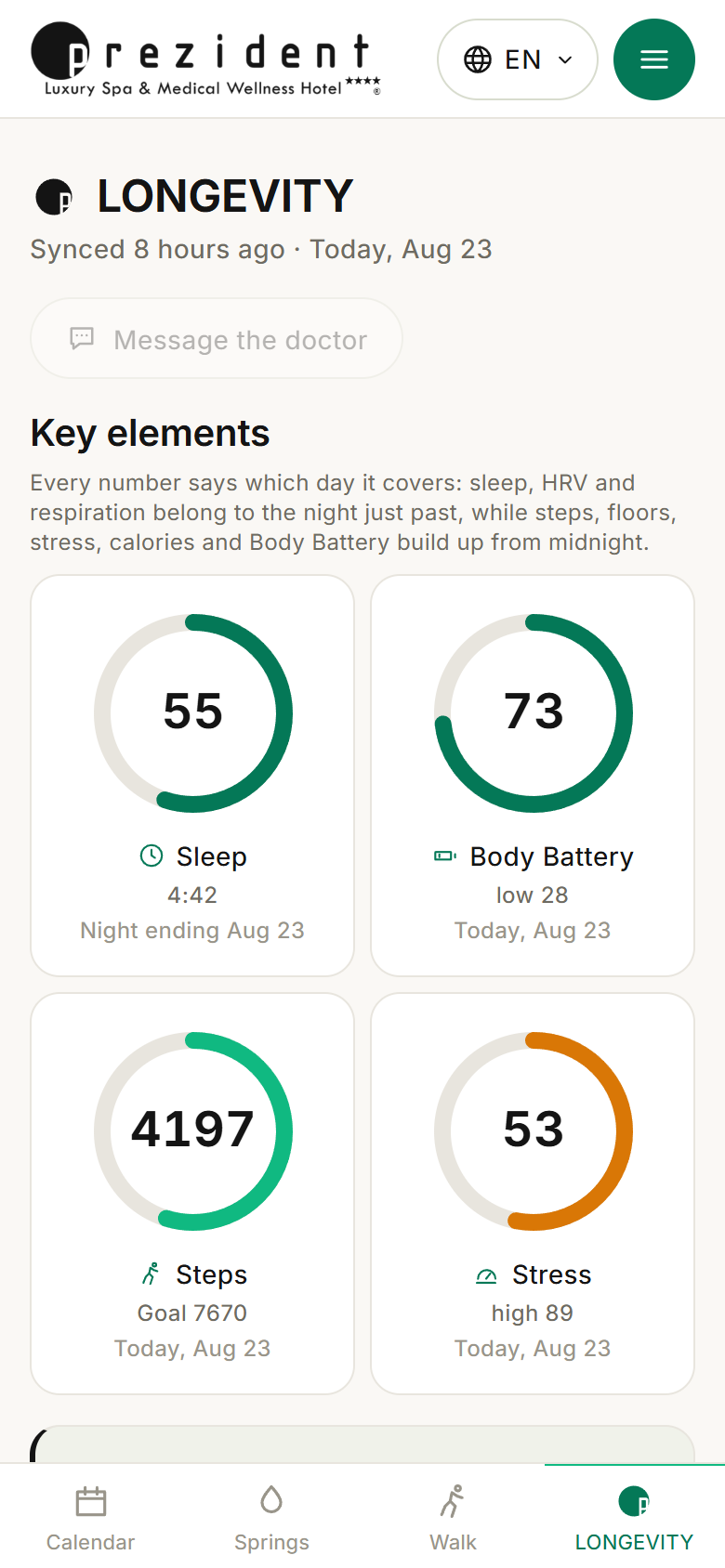
The day's rings, the measurement cards and the column of advice on the right. A reading of the screen a guest lands on — and the rule that puts a date under every number.
`#/longevity` is the shop window of the current day and the first screen after signing in. It is built on the model of the Garmin Connect account home: the rings of «Key elements», the «In focus» cards with their charts, the narrow column on the right.
The numbers, though, are ours: the portal works them out from what arrived from the watch (what exactly, and by which road), and they are read by the same rooms the shelf under the header opens.
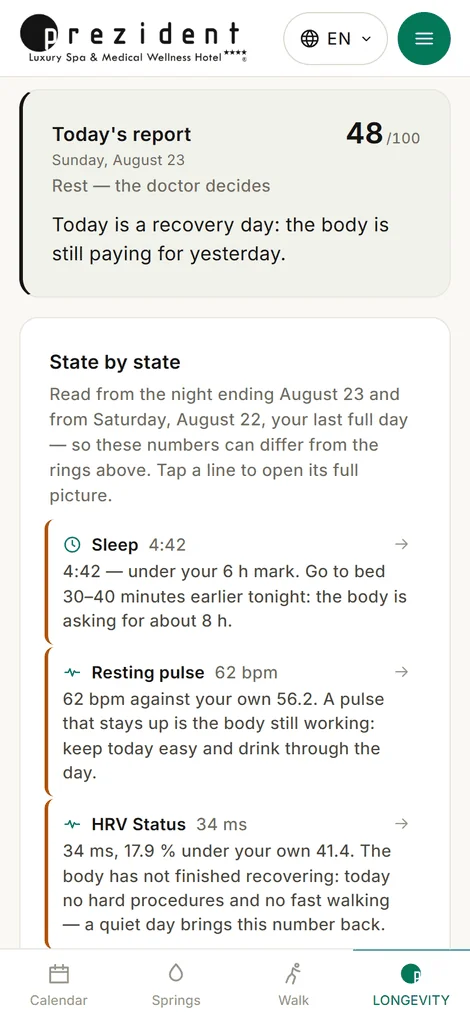
In place of training-plan advertising the right-hand column carries «Today's report» — one line per measurement. The same text goes out as the morning letter with its PDF, and the same text is what the doctor edits line by line on the round.
The day's rings: each with its own date under the label׫Today's report» — one line per measurement, each leading to its room×
The rule that matters: every number says its day
Night measurements come from today's row, daytime ones from the last day that finished. At ten in the morning today's step count means nothing yet, while last night's sleep means everything.
So a ring and a recommendation about the same metric can show different numbers — and the page says so out loud: a line under the header («Today, 14 Aug»), the rule spelled out under «Key elements», a date under every ring and under every card's title, a separate caption under the weekly bars, exact dates in the right column.
This is not wordiness for its own sake. A number without the day it belongs to is the cheapest way to mislead a reader without telling a single lie.
There should be no dashes
If the watch did not sync overnight, the page does not show eleven dashes. A measurement missing from today is taken from the last day that had it — in groups (a whole card from one day, its curve from the same day), and never deeper than seven days.
A substituted number must carry its date: without one it is a forgery. If there are no measurements at all, the page says plainly «the watch is in touch, waiting for the night».
The line «synced N hours ago» is about the watch, not about our polling: it shows when the kit's phone last carried data up to the cloud (why those are different things).
The order of the blocks
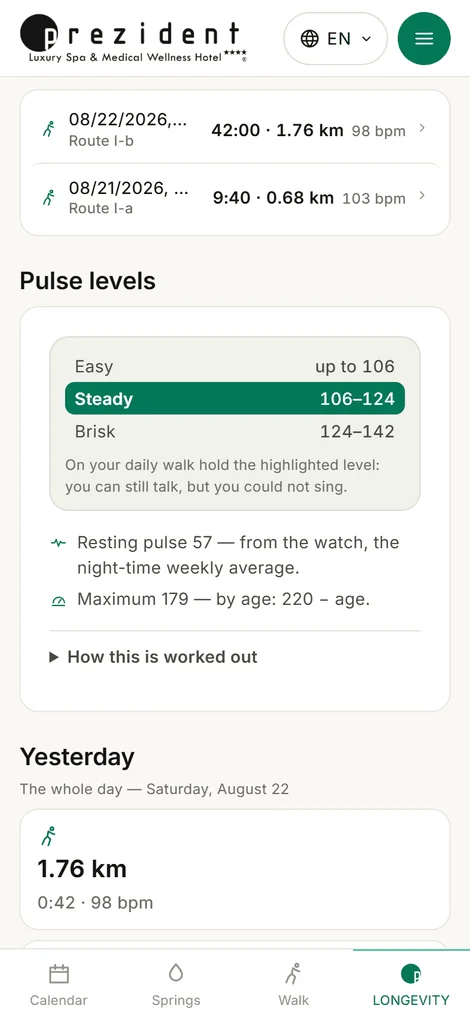
Top to bottom: «Key elements» (the rings) → «In focus» (cards with charts) → «My walks» (a four-line window; a line opens the walk's folders) → «Yesterday» → «Last 7 days» → «Everything the watch recorded».
Garmin's «Events», «Training plans» and «Challenges» were not carried over: those are its advertising and its social features. The report column stands there instead. The weather is a small card at the foot of the column, leafed through by day.
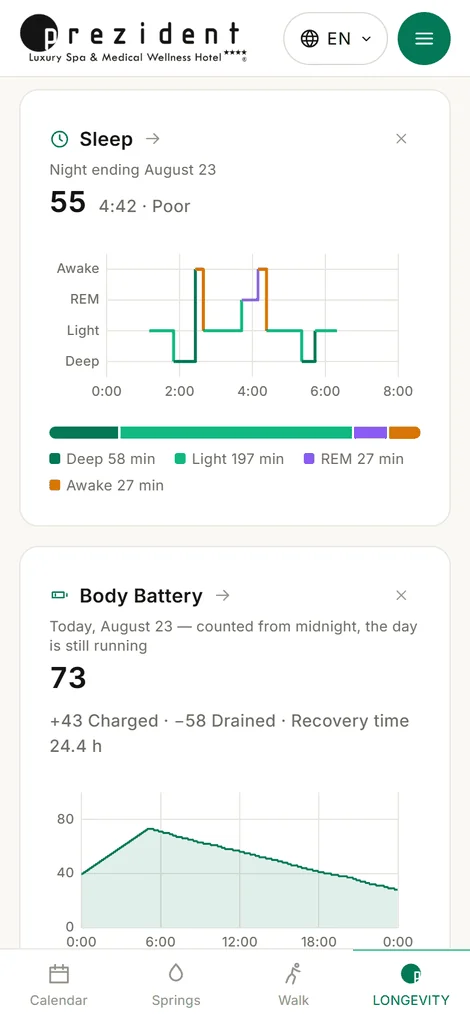
«In focus»: a card per measurement, with its date and curve׫My walks» — a four-line window; a line opens the walk×
The doctor's button
Top right: message the doctor on WhatsApp. The number and the name are set in the panel under «Settings», and they are handed out as a property of the guest rather than of the hotel: there will be several doctors, and a patient will be attached to theirs.
An empty number means no button at all.
A past day in full
The page opens on today, but it can show any day of the stay: from «Stays» a day opens with «The whole day on the front page», and then the rings, the cards and the report are worked out for that day. A bar appears on top with «±day» arrows and «Back to today», and the word «today» disappears from the captions.
The doors into the measurement rooms carry that date too: open «Sleep» from a past day and you land on that night, not tonight.
What comes from the watch
Everything on this page arrives by one of three roads — the nightly pull from the Garmin cloud, our own watch app, or the scales in the room. The full reading is «What reaches the portal from the watch»; what each measurement means is in «What the watch measures».
What does not come from the watch: blood pressure, grip strength and the text of notifications. If those numbers are not on the page, they were not lost — they are not measured.
Which numbers change the procedures
The right-hand column is not only for reading. The doctor sees the same measurements in the morning sheet and changes the day by them: resting pulse above the guest's own baseline, night HRV below it, sleep under six hours, Body Battery under forty in the morning, oxygen under 90. The thresholds, the flags and what follows from them have an article of their own — «Which numbers make the doctor change a procedure».
The doctor can rewrite a line of the report in their own words, or hide it. What a doctor writes is not machine translated — the guest reads the doctor's words (how that works).
How this works for a person
You wake up, open the phone and see four rings: how you slept, how much energy you have, how far you have walked, how much strain there was. Under them, cards with curves if you want the detail. On the right, a few lines in words: what deserves attention today and what to do about it.
If something is unclear, every line of the report is a link. Press «Sleep» and the whole night opens, with its stages and its reading.
What reception does
Nothing: the page assembles itself. But when a guest says «mine is empty», the desk has something to look at — «last contact with the watch» in the guest's line on the panel, and the «Sync now» button (what it actually does).